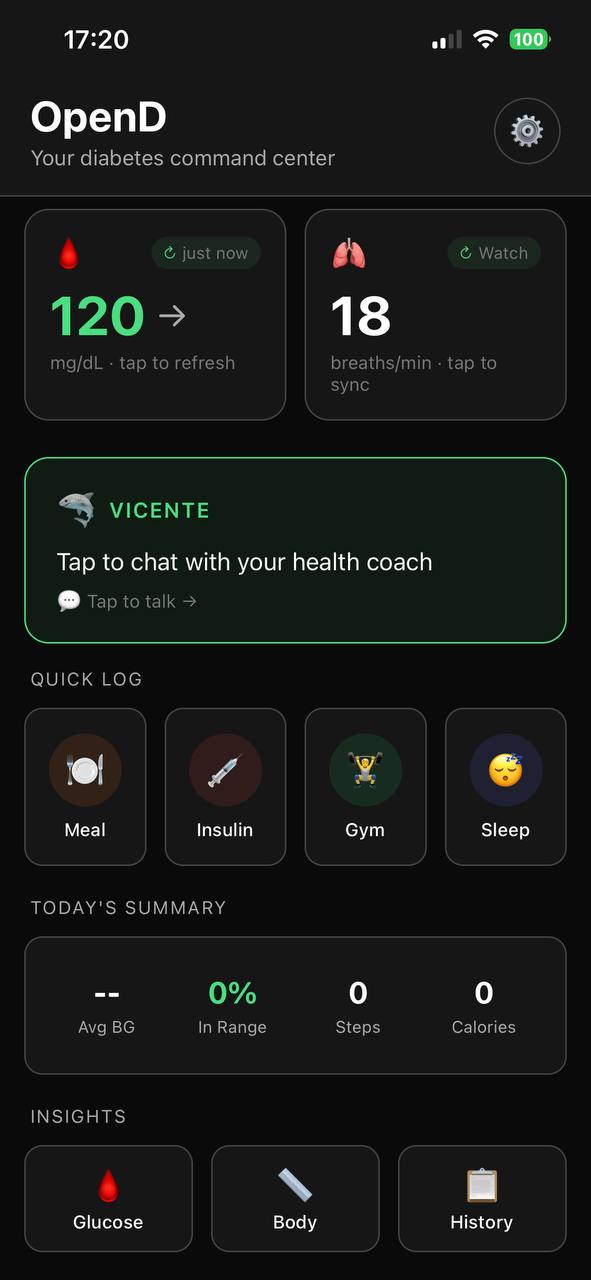
I've been logging meals and insulin doses since 1991. Paper diaries. Pocket notebooks. Every app that came out. I know exactly how it feels at 10pm after a long day — you had dinner two hours ago, you're tired, you forgot to log it, and now you're staring at your CGM wondering why your glucose is doing what it's doing.
That's the fundamental problem with diabetes logging: the moment you most need the data is the moment you least want to enter it. And even when you do log — you log after the fact. The decision was already made.
What Every App Gets Wrong
Every diabetes app treats logging as your job. Open the app. Find the meal screen. Enter food name. Estimate carbs. Tap save. Then separately log your insulin. Then manually set a reminder to check your glucose later — if you even remember.
Photo AI was a genuine improvement. Point your camera at a plate and get a carb estimate. But it's still you doing the work. You still have to open the app, remember to photograph, confirm the estimate, and close out. It's faster, but it's still reactive — the app waits for you.
And after all that logging? The app stores it. That's it. It doesn't connect the meal to your current glucose, your active insulin, your workout from this morning, or what happened the last five times you ate that same food.
What an Agent Does Instead
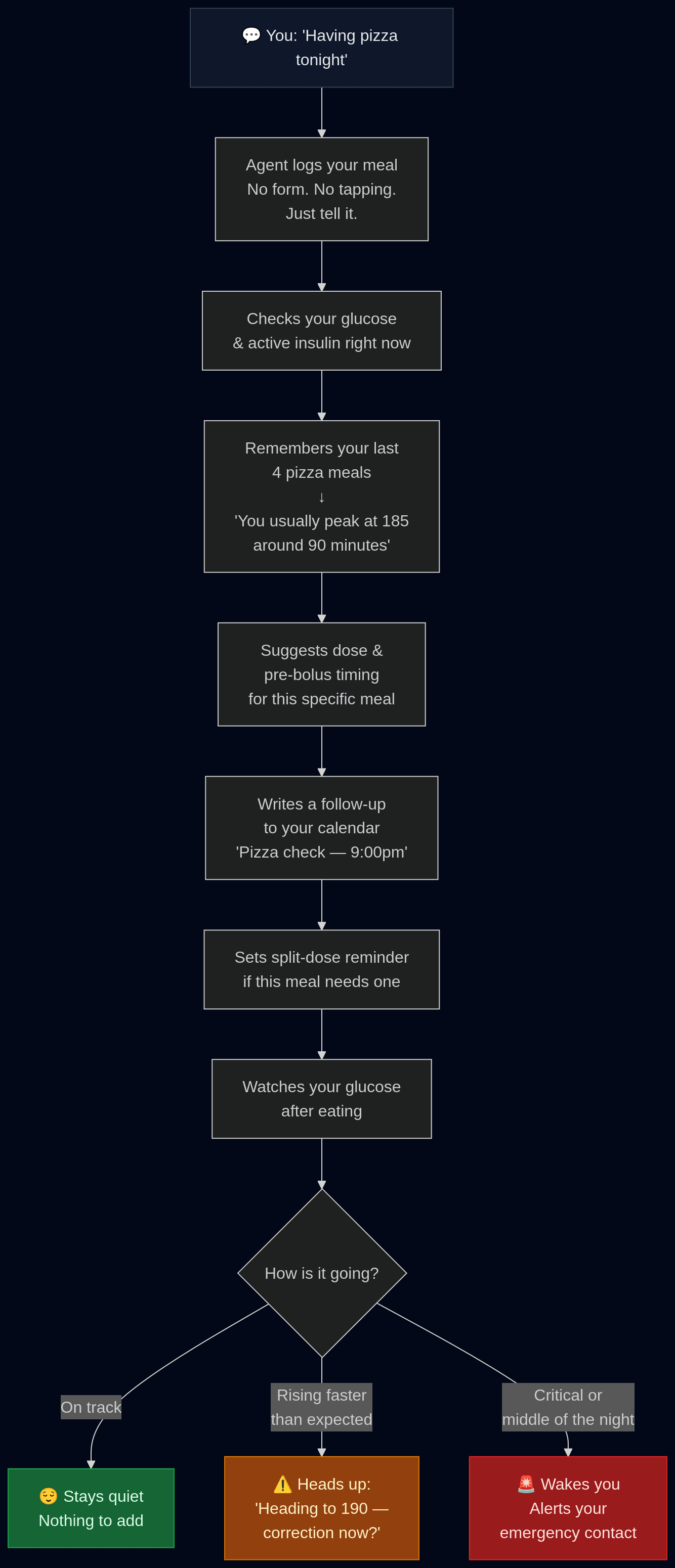
You tell Open-D what you're having. In conversation, the way you'd tell a person. The agent logs the meal, checks your current glucose and active insulin, recalls what happened the last several times you ate that food, suggests your dose and timing, and sets a split-dose reminder if the meal calls for one.
You didn't open a logging screen. You didn't tap through forms. You just said what you're eating.
Every meal or insulin log automatically starts a monitoring session. The agent watches your glucose against what it expects from that specific food — and only interrupts you if something is actually going wrong.
The Full Loop
This is what happens from the moment you mention a meal to the moment your glucose settles:
Your Personal Food Memory
This is the part no carb counting app can replicate: the agent builds a glucose pattern for every food you log over time. Not generic nutritional data. Your actual responses — how high you go, how fast, at what point the peak hits. The same pizza from the same place, logged enough times, has a profile specific to your metabolism.
That memory is what turns a generic carb estimate into an accurate prediction. It's also entirely local — it never leaves your device. No one else has access to it.
It Prepares You Before You Ask
Most apps wait for you to tell them what's happening. Open-D is already aware of what your day looks like. Before physical activity, it reaches out proactively — your current glucose, your active insulin, and a concrete suggestion on how to prepare. You didn't ask. It just knew.
It Knows When to Stay Quiet
One thing I specifically built into Open-D: it knows when not to talk. If your glucose is tracking exactly as expected after a meal, you hear nothing. No confirmation. No check-in. Just silence, which is the best possible update.
If something starts going wrong — glucose rising faster than expected, trending toward a problem — it tells you specifically what's happening and what to do. If it's the middle of the night and things are critical, it escalates. Everything else: quiet.
This Is What Logging Should Have Always Been
Meal logging isn't a feature. It's the input that makes everything else possible — the dose calculation, the follow-up timing, the pattern memory, the overnight safety net. The only reason it was ever manual was because no tool existed to do it any other way.
Open-D is that tool. Tell it what you're eating. It handles the rest.
Ready for Your AI Diabetes Agent?
Open-D is the AI Diabetes Agent that watches your glucose 24/7, learns your patterns, and alerts you before problems happen.
Get Your AI Diabetes AgentLibre 3 · iOS & Android · Join the waitlist